
In this section
How a translated call goes
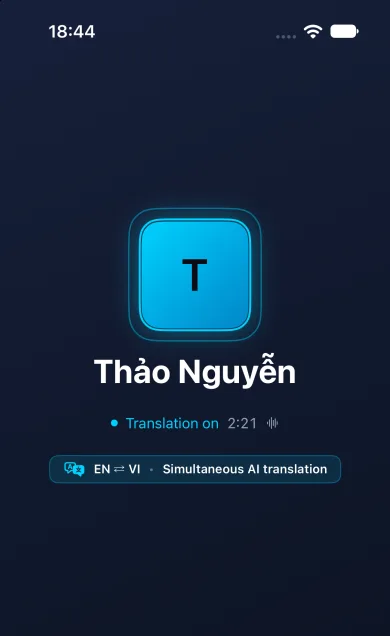
- You call someone in AiThao, by voice or video, and they answer.
- Translation is on for calls by default (Settings → Translation → Calls by default). The first time, the app asks whether your speech may be sent to be translated in the cloud; the call is translated once both of you have agreed.
- Each of you speaks normally, in your own language, and hears the other in yours.
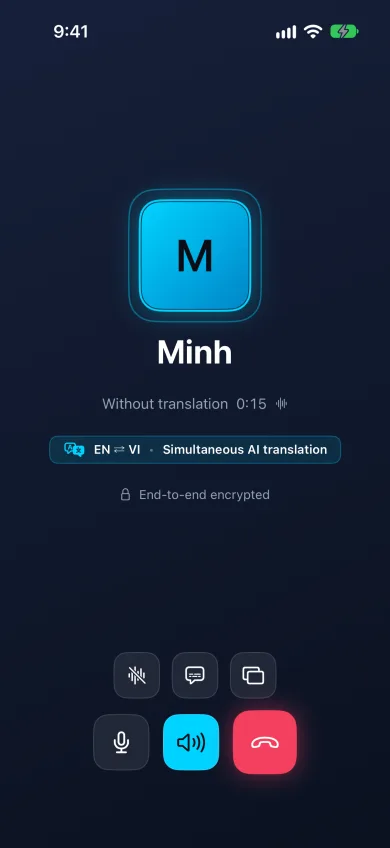
- Tap Subtitles to read the translation as well, or tap Translation again to go back to your own voices.
What you hear and see
The app understands speech in 96 languages on a call. In 91 of them the translation is spoken aloud; in the other 5 it appears only as subtitles, so turn subtitles on if you or the other person uses one of those.
Your own line in the subtitles shows how your words came out in their language: the quickest way to check you were understood.
What it is not
This is a call inside the app between two AiThao users, not a way to translate an ordinary phone call. It needs an internet connection, and the delay and accuracy depend on the network, the way people speak and the languages. Repeat names, addresses and amounts, or confirm them in a message: automatic translation can make mistakes.
When it helps
- Agreeing on a time to meet with someone who speaks another language.
- Sorting out an everyday question with a friend or relative abroad.
- Checking something quickly by voice when typing is awkward.
Privacy
Speech is translated in the cloud while you talk, so a translated call is not end-to-end encrypted, and the lock on the call screen disappears to show it. A call without translation between two phones that support it is end-to-end encrypted. What is sent, and what is not, is set out in the Security Center.
After the conversation
If you want to revisit a translated conversation, you can request a written summary. The other person sees that summaries are enabled and can refuse them in Settings.
Implemented in the app · Call summaries and history
Summaries of calls with or without translation. Enable the feature during the call: the other person sees a notice and may prohibit summaries. With supported speech recognition, text stays on your device until you remove the call, clear its history or erase the device’s data. iPhone requires iOS 26+.
Implemented in the app · Group calls with translation
Voice and video calls for up to 4 people. Each listener uses their own minutes for translation; without minutes, they hear the original speech. Group calls are encrypted in transit; a call with translation is not end-to-end encrypted.
Questions
Do both people need AiThao?
You can invite someone using a Telegram link. Ordinary chats and calls inside AiThao require AiThao. Communication through Telegram is not protected by AiThao end-to-end encryption.
Is translation always on?
It is on by default, and a call is translated once both people have agreed. Choose Original in Settings → Translation → Calls by default, or tap Translation during a call, to talk without it.
Can I turn translation off during a call?
Yes. Tap Translation and you hear the other person’s own voice again.
Is a translated call end-to-end encrypted?
No. Live speech has to reach the translation service, so a translated call is not end-to-end encrypted. A call without translation between two phones that support it is.