 AiThao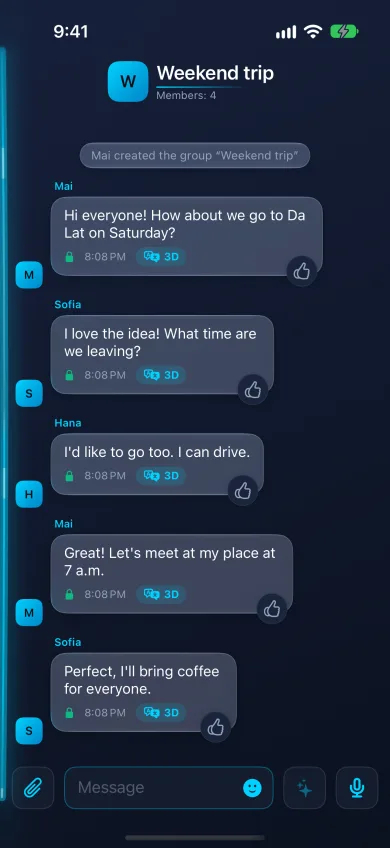
How it works
Everyone chooses the language they want groups in: Settings → Translation → Groups. When a message arrives in another language, it is translated into yours, in any of 92 languages. Nobody has to agree on a common language or copy lines into a translator.
The original is one gesture away: double-tap a message and the card turns over to what was actually written. Double-tap again to turn it back.
Voice messages in a group
A voice message is translated for each language in the group, so every member reads it, and can hear it spoken, in their own. If the sender has made their own voice, the translation sounds like them.
Running a group
- Up to 256 members.
- Invite people with a link, or require an admin’s approval before someone joins.
- Admins decide who can add members and change the group’s name and description.
- An admin can turn on Forbid screenshots in this group, and can turn off forwarding of its messages.
Encryption
Group messages are end-to-end encrypted with the Signal Protocol, and the keys change when someone joins or leaves. Each member’s phone decrypts a message and then has it translated in the cloud; the server knows who is in the group and its name, not what is said. Translation can be turned off in Settings.
Questions
Does everyone in the group need the same settings?
No. Each member picks their own language; the group works with any mix.
Can I see what someone actually wrote?
Yes. Double-tap the message to turn it over to the original.
Are group calls available?
No. Groups are for messages and voice messages; calls are one-to-one.