What you can send
- Text, voice messages, photos, videos and files.
- Your location and contact cards.
- Replies to a specific message, reactions, and edits after sending.
Groups where everyone reads their own language
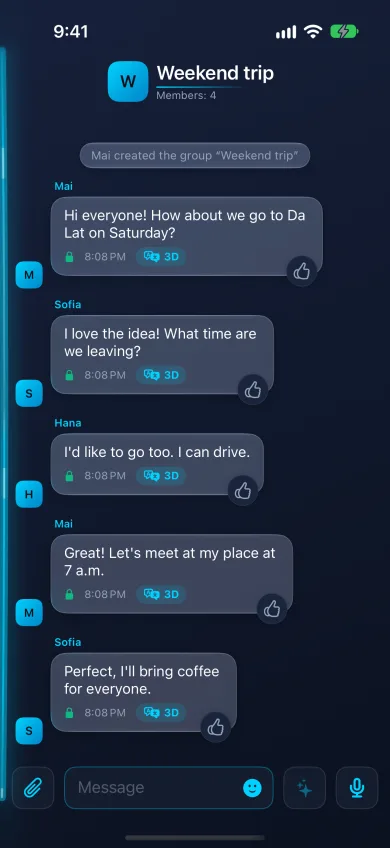
In a group chat each member reads the conversation in their own language; one person writes in Vietnamese, another reads in Russian, a third in English. Groups are end-to-end encrypted like one-to-one chats, and the keys change when someone joins or leaves. A group can turn off forwarding of its messages.
Keeping the conversation under control
- Search your messages.
- Delete a message for everyone, not only for yourself.
- Set disappearing messages for a chat.
- Someone who is not in your contacts arrives as a message request, which you can accept or ignore.
Translation in a chat
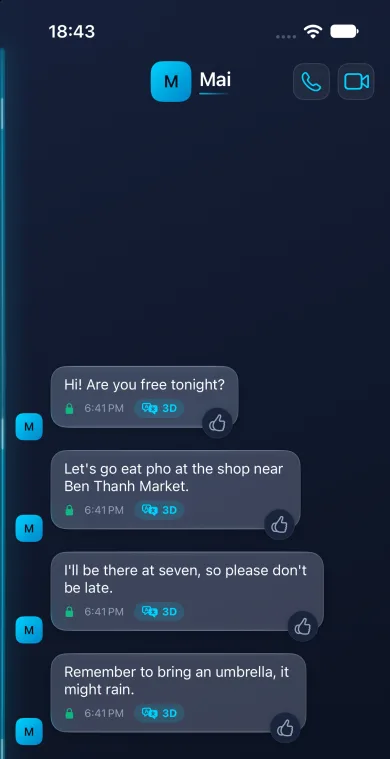
A message in a language you do not read is translated for you in one of 96 languages; a double tap shows the original. To translate, the phone sends the decrypted text to a cloud translation service; you can turn that off in Settings.
Questions
Can I use AiThao chats without translation?
Yes. Turn off cloud translation in Settings and AiThao works as an encrypted messenger; messages then appear as they were written.
Can the other person see that I am typing?
Yes, while you type. Who sees your online status is your choice in Settings.